Understanding Windows Firewall Configuration Settings in the Event Viewer
Windows Firewall Configuration events are logged in the Windows Event Viewer, under Windows Firewall with Advanced Security > Firewall. Some configuration values appear as integer values and as such do not map properly to the values provided in KACE Cloud. The list below describes some of the different values and what they map to in the Event Viewer.
- Preshared Key Encoding includes the following values:
- None maps to 0 in the Event Viewer.
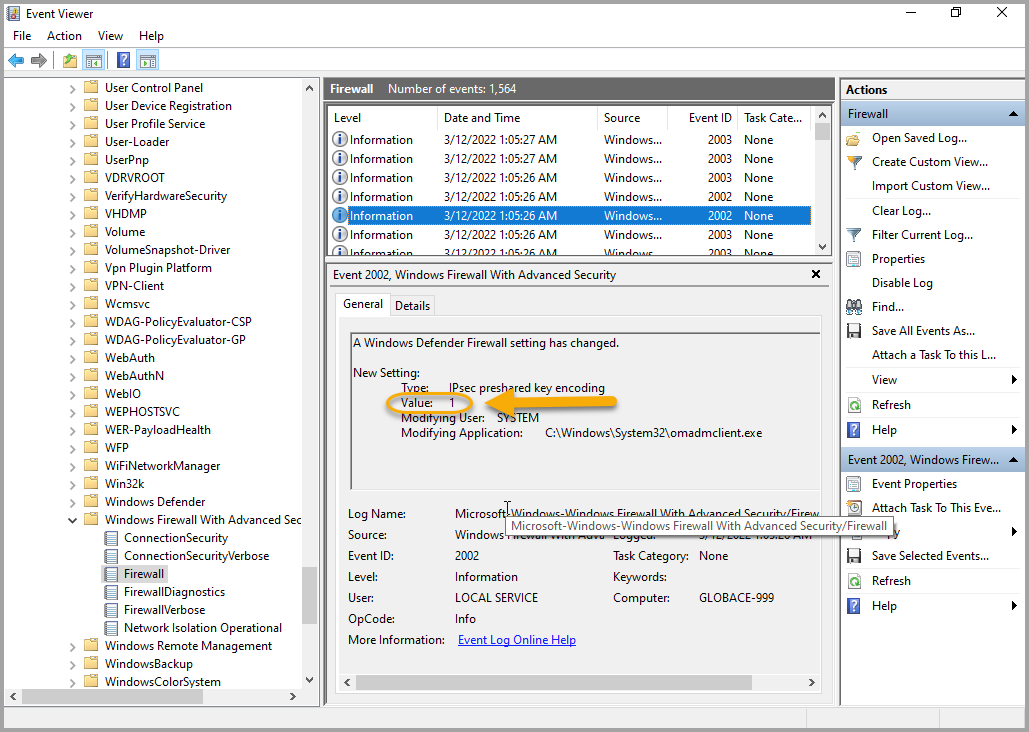
- UTF-8maps to 1 in the Event Viewer.
In the following example, Preshared Key Encoding is set to UTF-8, and the Event Viewer records the value as 1.
- Certificate Revocation List Verification includes the following values:
- None maps to 0 in the Event Viewer.
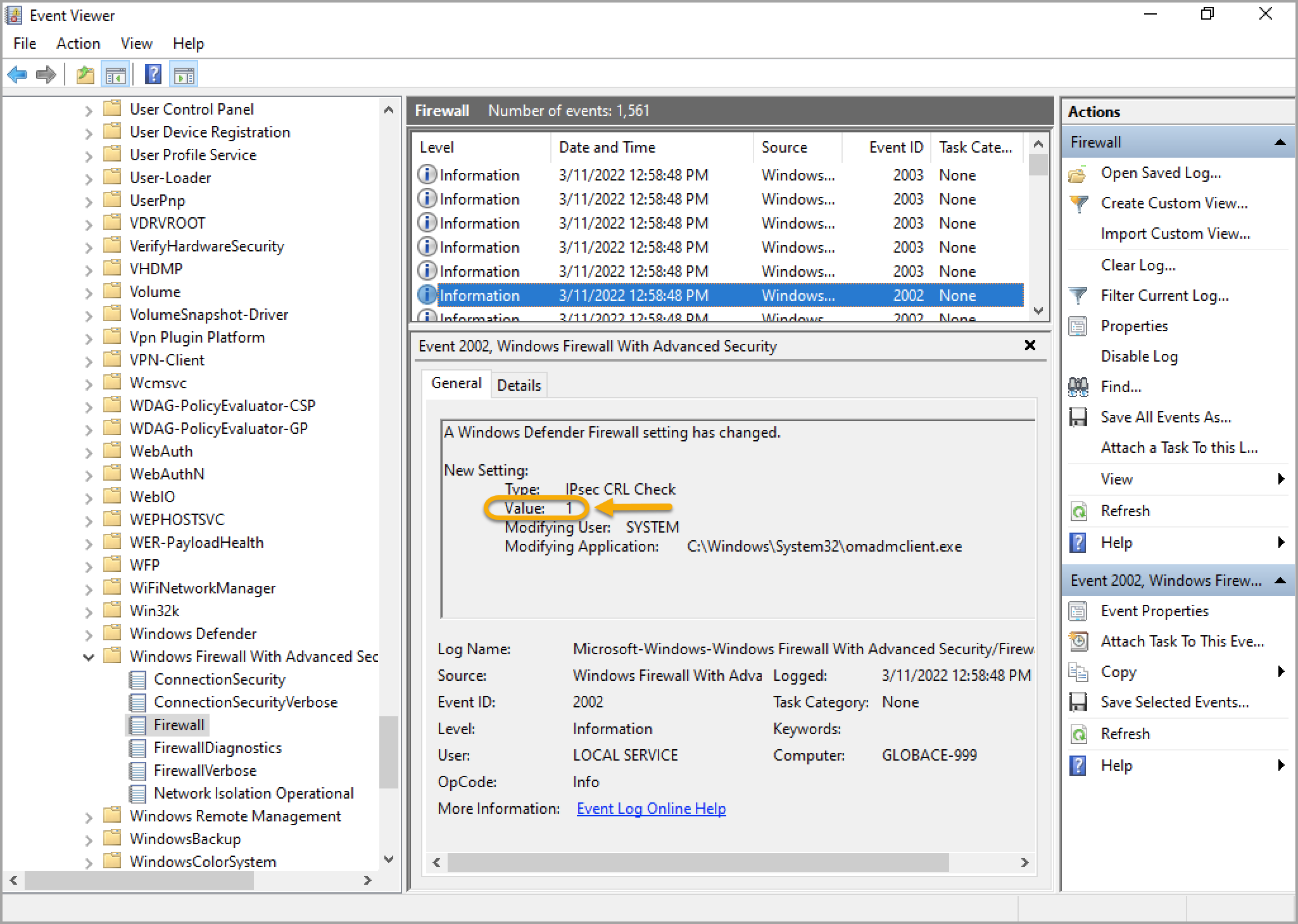
- Attempt maps to 1 in the Event Viewer.
- Require maps to 2 in the Event Viewer.
In the following example, Certificate Revocation List Verification is set to Attempt , and the Event Viewer records the value as 1.
- Allow IPSec Exemptions is slightly different because Windows stores this as a bit mask value. The values are listed here: https://docs.microsoft.com/en-us/openspecs/windows_protocols/ms-fasp/7daabd9f-74c3-4295-add6-e2402b01b191. A check box is used for each possible bit mask flag:
- Allow Neighbor Discovery IPSec Exemptions maps to flag 1.
- Allow ICMP IPSec Exemptions maps to flag 2.
- Allow Router Discovery IPSec Exemptions maps to flag 4.
- Allow DHCP IPSec Exemptions maps to flag 8.
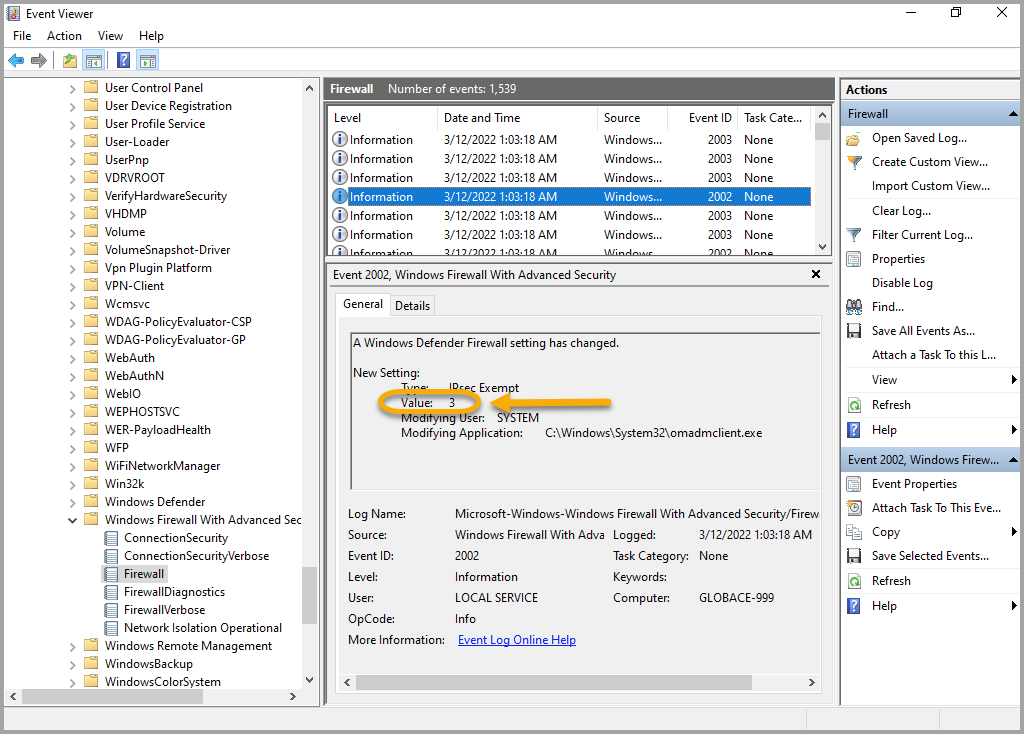
To validate this setting in the Event viewer, flag values for all of the selected check boxes are added up, and this value appears in the Event Viewer. For example, when all four check boxes are selected, the value displayed in the Event Viewer is 16. If just Neighbor Discovery and Router Discovery are selected, the combined value is 5. In the following example, only the Neighbour Discovery and ICMP IPSec exemptions are selected, resulting in a value of 3 being applied to the IPsec Exemption setting.
For complete information about these values and mappings, see the CSP documentation: https://docs.microsoft.com/en-us/windows/client-management/mdm/firewall-csp.
To see a full list of Windows Firewall Configuration settings in KACE Cloud, see Configure Windows Firewall settings in the Library.